
New Office IT Setup Checklist: Network, Security, Meeting Rooms and Endpoints
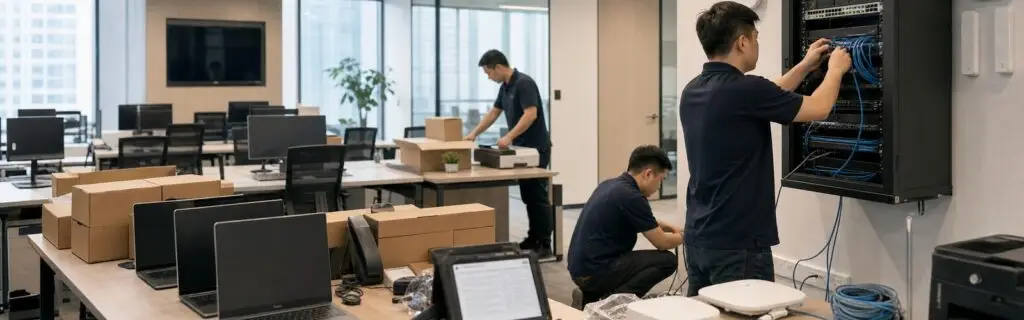
New office IT work usually runs in parallel with construction, cabling, carriers, furniture, meeting-room systems and employee onboarding. A delay in any one area can affect opening day. A shared checklist with owners and acceptance criteria helps prevent weak Wi-Fi coverage, incorrect outlet locations, late equipment and unprepared user accounts.
Project Initiation
- Confirm employee count, desks, meeting rooms, visitor areas and expected growth.
- Define the opening date, construction milestones, equipment delivery and test window.
- Document headquarters connectivity, cloud platforms, business systems and compliance needs.
- Clarify ownership across construction, cabling, carriers, IT, meeting rooms and property management.
Internet, Cabling and Network Equipment
Review carrier lead times early and consider dual circuits or a 4G/5G backup where continuity matters. Cabling should cover desks, wireless access points, printers, meeting-room systems, access control, cameras and the equipment room. Switch ports, PoE capacity, VLANs, IP addressing and uplink bandwidth should allow for expected growth.
Wi-Fi and Guest Access
Access-point quantity should consider walls, meeting-room density, concurrent devices and roaming, not only floor area. Perform a coverage test after installation. Separate corporate, guest and IoT networks, and apply appropriate authentication and bandwidth policies to visitor access.
Firewall, VPN and Security Baseline
Complete firewall policy, remote access, site connectivity, DNS filtering, logging, administrator access and configuration backup before go-live. Open ports should map to documented business requirements, and temporary rules need review dates. Endpoints should receive patching, protection, disk encryption and account-security policies.
Equipment Room and Core Infrastructure
Verify rack space, power, UPS, cooling, grounding, labeling and physical access. Keep clear port and power records for network devices, servers, storage and carrier equipment. Back up critical configurations at handover and document warranty and administrative ownership.
Meeting Rooms, Printing and Endpoints
Confirm displays, cameras, microphones, speakers, wireless presentation, Teams or Zoom platforms and room controls. Employee devices need imaging, accounts, applications, permissions, printing, encryption and asset labels. Validate a small pilot group before a bulk rollout to reduce rework.
Pre-Opening Testing and Handover
- Test wired ports, Wi-Fi coverage and internet failover.
- Validate VPN, headquarters connectivity, critical systems and meeting rooms.
- Sample user accounts, applications, printing and endpoint security policies.
- Confirm monitoring, alerts, backups and configuration exports.
- Complete network diagrams, IP records, asset lists, credential handover and vendor contacts.
- Arrange opening-day onsite support and an escalation path.
Recommended Project Sequence
Allow time for circuits, procurement and cross-team coordination. Begin with requirements and design, secure carriers and long-lead equipment, coordinate cabling and installation with construction, then complete configuration, testing, documentation and opening support. Track every change in one shared project list.
Review Lanever’s new office IT setup services, or contact us to discuss a Shanghai office opening or relocation timeline.